
We live our lives through our phones, keeping everything from grocery lists to photos of our kids locked inside it. However, a glitch with a third party app, a bad software update or an accidental tap can wipe away years of memories in less than a second. When that happens, the standard backup options from Apple do not always save your deleted data.
In those testing times, a dedicated iPhone data recovery app becomes your only saviour. To see which programs actually deliver on their promises, I decided to run a test mimicking the same. I took five of the most well-known names: Stellar Data Recovery for iPhone, Dr.Fone, iBoysoft, iMyFone, and Disk Drill 6.
I wanted to see how they handled a simulated data loss, looking closely at how they recovered the files, what types of data they supported, their actual success rates, and how well they protected user privacy.
Setting Up a Real-World Data Loss Scenario
Source: handyrecovery.com
To make this test as fair and realistic as possible, I used the latest iPhone 17 pro (running on latest iOS 26) packed with a mix of different files like a pool of photos, 4K videos, text messages, iMessages, WhatsApp media and chats, voice notes, and so on.
To be elaborate, this included 50 photos in both standard formats and Apple’s newer HEIC format, 5 videos of different lengths, 100 text messages and notes, and 5 chat conversations from WhatsApp inclusive of the various media files.
I deleted the entire phone data. I emptied the recently deleted or trash folders and even spent some time downloading some updates and opening multiple apps to force the phone to rewrite its internal cache. This created a tough, real-world scenario where the deleted data was deeply lost.
Testing the Best iPhone Data Recovery Tools
1. Stellar Data Recovery for iPhone
Stellar’s iPhone data recovery setup was quick, and the interface didn’t overwhelm me with confusing technical jargon. It simply guided me through the process step by step – I downloaded the software on my Mac PC.
After scan, it recovered nearly every single text message, note, and contact list I had deleted. It also pulled back over 90% of my deleted photos, and handled the HEIC formats comfortably. It only showed a tiny bit of slowdown when scanning the large video files, but the final output was justified and clean.
One thing that makes this tool stand out is its honest approach to a free trial. It gives you a completely free option to recover up to 10 photos and 10 videos with the Mac Version. While that might not sound like a lot if you lost your whole phone, it allows you to check that the software actually works on your specific iOS device before you upgrade.
The tool’s claimed compatibility with the latest iOS 26 was validated and considering its highly effective recovery from our latest iOS devices – it’s compatibility with the previous iOS versions extending down to iOS 11 is credible. Though, Stellar claims that their iOS recovery tool is compatible with iPads as well making it highly approachable of keeping it handy at all times.
Our Expert Rating – 4.7/ 5
2. Dr.Fone iPhone Data Recovery
Source: ratings.7datarecovery.com
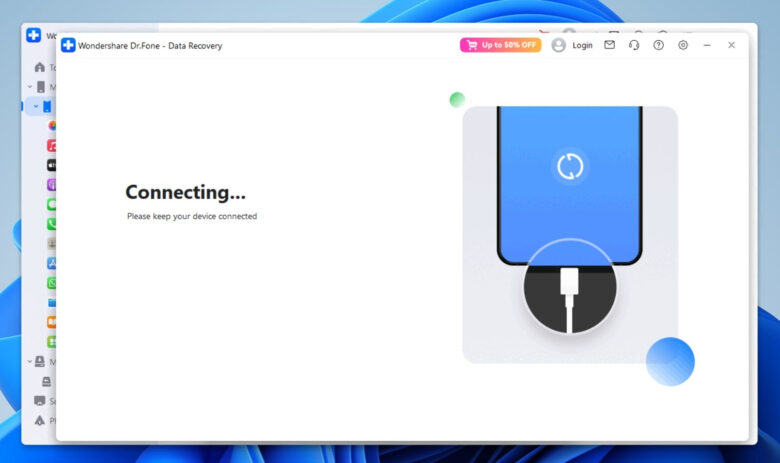
Wondershare’s Dr.Fone is another app that focuses on offering a massive suite of extra tools alongside standard data recovery. During the testing process, it did an excellent job. Surprisingly, it managed to recover about 90% of the deleted WhatsApp chats. For some of the deleted photos the recovery was limited to thumbnails instead of the original file – that highly compromised the media quality.
Another downside here comes down to the free trial structure. Dr.Fone lets you download the app and scan your device for free, showing you a nice preview of everything it found. However, if you actually want to save a single file to your computer, you have to purchase the tool. It is a highly capable tool with a strong market reputation, but you have to pay up front to get any actual data back. Dr.Fone also claims to support the latest iOS 26 to there was no information regarding support for any previous versions, however, we believe it does.
My Overall Ratings – 4.5/ 5
3. iMobie Phone Rescue Data Recovery
iMobie Phone Rescue takes a much more plain approach to its design. It lacks the colorful, friendly look of some other apps, choosing instead a straightforward layout that focuses entirely on finding files.
In my same testing setup, initially the tool struggled to connect and scan the iPhone 16 Pro – but we did succedded after several attempts. Also, the scan time was tiring and it took about 45 minutes for it to complete.
It however, satisfactorily and safely extracted about 70% of the deleted images and did a great job parsing through old local iTunes backup files hidden away on the hard drive. It works quietly and keeps all processing local, ensuring your personal photos never leak onto the web.
Like Dr.Fone, its free version for iPhones is strictly for preview. It will show you a list of everything it can save, but saving the files requires a premium subscription. It is a solid choice if you need a no-nonsense tool and don’t mind a basic old school interface.
My Overall Ratings – 3.5/ 5
4. iMyFone D-Back
Source: ireashare.com
iMyFone is a popular brand online, and I had high expectations for it going into the sandbox trial. Sadly, this is where the testing took a sharp downward turn.
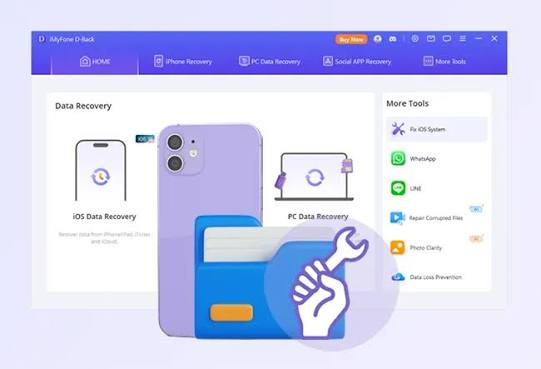
When I connected the iPhone, the software struggled to detect the device and scanned after several attempts. It managed to bring back some surface-level photos and videos, but it completely failed to see the deleted text messages, notes, or other apps data. The deeper database reconstruction just wasn’t strong enough to piece the deleted elements back together.
On top of the below average recovery rate, the trial version follows the same preview-only model. Because it couldn’t find the bulk of my test data, the preview screen remained mostly empty.
My Overall Ratings – 3/ 5
5. Disk Drill 6 (by CleverFiles)
Disk Drill often gets cited as a popular data recovery tool, and it has indeed a good presence in Google SERP for data recovery tools. I just needed to check how it performs when it comes to recovering files from iPhone devices.
So I eagerly downloaded their specialized iPhone recovery tool – Disk Drill, but that did not live up to that reputation during my test. Unfortunately, the software fell short in the exact same ways as iMyFone. It scanned the phone’s memory for more than 90 minutes to find about 40% of the deleted pictures, but it majorly missed the videos and text messages.
It is also worth noting that while the Disk Drill data recovery tool offers a generous free data allowance for standard computer hard drives, that offer does not apply to iPhone data recovery tool. For iOS devices, you are stuck with a standard preview trial that requires a full upgrade to save your files.
My Overall Ratings – 2.5/ 5
Quick Comparison of Best Data Recovery Tools:
| Feature to Consider | Stellar Data Recovery | Dr.Fone iOS | iBoysoft Tools | iMyFone D-Back | Disk Drill 6 |
| Photo Success Rate | Extremely High | High | Moderate | Low (Failed) | Low (Failed) |
| Text & Chat Success | High | Extremely High | Moderate | Zero (Failed) | Zero (Failed) |
| Free Recovery Limit | 10 Photos & 10 Videos in Mac Version | None (Preview Only) | None (Preview Only) | None (Preview Only) | None (Preview Only) |
| Data Privacy | Excellent | Excellent | Standard | Standard | Basic |
Finding the Right iPhone Recovery Tool
Source: macworld.com
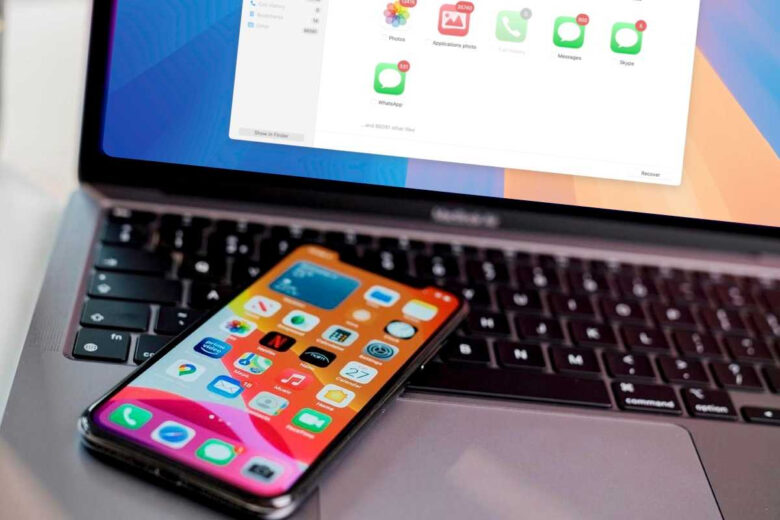
When you are dealing with the stress of lost data, you do not want to spend hours fighting with software that can only find half of your files. You need something that works safely, keeps your personal photos safe on your own computer, and actually gets the job done.
If you find yourself in between a real data loss, relying on trusted tools like Stellar Data Recovery that claims compatibility with almost any iPhone device out in the market is a smart and secure choice. Stellar also gives you that extra bit of comfort by letting you actually recover a few files completely for free.
